Showing posts with label geometry. Show all posts

Wednesday, September 23, 2015

One year later

One year ago I completed my Google Educator certification. They have since revamped it and I'm not sure where I want to go next, but I thought I would look back at how much has changed in the past year.

Things that happened the past year;
  • Cart of Chromebooks for my Geometry classes. This is a huge one. When I first received my cart I wasn't sure how I would use them, except for online testing through Socrative.com. One year later, I don't know how I could go back to just me lecturing.  Using Google Classroom & Docs, I am able to put interactive material into the lessons.  So during the lecture I can send them to Geogebra to work with planes or circles.  I can start lessons off with them investigating relationships with segments inside triangles.  Students can collaborate on Performance Tasks as well.  Not too mention since it is all on Drive, the students have access to their notes where ever they have access to get online.
  • Tutorial Site: After I completed my Google Educator Certificate I wanted everyone else to see just how much GAFE & technology makes teaching easier for everyone involved.  So I decided to do screencasts & written tutorials of various topics.  I covered the most important topics, GAFE & Socrative. It is always being updated, especially since technology is ever-changing as well.  
  • School detention attendance moved to online to Google Sheets.  Before last year our detention list was on a single sheet at the front of the office.  If the counselors wanted to add a name they had to leave their office & walk up there to add it. If they needed to change it, they would walk up and scratch it out.  By the end of the year the daily list was a mess.  Different hand writing & so many things scratched out.  So I created a Google Sheet that was shared between all of the counselors.  Each Sheet had the 3 days we ran detention.  The counselors could see where there was open spaces.  If they needed to delete someone, they could just delete it there.  Just for fun I ran a script that would sort each day by grade level so the counselors could quickly see if their students were there or not.  I also used conditional formatting to turn spaces red if they weren't at detention.  Plus a running number on the top of each day so the VP could see how many students weren't making it to detention daily.  I also formatted that to turn red once the number got too high.
  • SST/504 moved to Google Forms. Once again this was done to streamline a process.  Before we had to print out a sheet, fill it out and turn it in by hand.  If we typed it into the document, the counselor would have to print it out and put all the information on the student together.  With the Form it is all done automatically.  The counselor has folders for each student on their Drive that keeps everything organized.  And with Summary of Responses, they can quickly access information on the student without having to look at each teacher's response.
  • Peer Counseling list moved to Forms and Sheets. Our school has a peer counseling group. The students go out and counsel other students when they are having problems.  The information needs to stay confidential. The class used to use a clipboard to sign in/out of & write who they were counseling. Even though it was left out of site, it could have been seen because it was a hard copy. So I went ahead with the teacher and created a Form that did what he wanted it to do. The counselors now access the Form and enter in the information and it is shared only to the teacher and school site psychologist. In addition, I linked the data Sheet to a second Sheet to share with the attendance office.  They could now see if a counselor's absence was because they were counseling.  They don't have to call the teacher & they don't see why a student was being counseled. Also quickly created an Android app for the counselors so they didn't have to bookmark the Form, just open the app.
  • In-service on Google Drive, Google Classroom, & Socrative.com. I presented at our district's professional developtment day.  I had 45 minutes to try and cover those 3 topics. It was fun to help out other teachers and let them see just how much technology & GAFE could improve their classes.  The number one thing that surprised them was the unlimited storage on Drive.
  • Moved to Chrome OS 100% at work. That's why this blog was formed.  I wanted to see if it was possible to move to Chrome OS.  Our computers are slow & time is important.  Moving to Chrome OS through my Chromebox has been awesome.  Zero regrets and now I have to convince others :-)


Even though I am extremely proud of everything I have been able to do the past year, there is a lot of work needed to be done;
  • More buy-in from staff on benefits of GAFE, especially those with carts of Chromebooks.
  • Have admin start using Google Classroom to send out information
  • Incorporate Google Calendar into my classes, this will be easier with Google Classroom update.
  • Convince someone important to move to Chrome OS as a staff.  Keep Windows/Mac around for those that need them for their classes.


Saturday, April 18, 2015

Re-Scale Project Revisited

I used to have another blog before this one and I still get emails about my Geometry Re-scale project. I love sharing this project, but the old blog got overran with spam comments so I will re-post it word for word here and also link in the handouts I use at the end of the post.

And now a post from 2011;
What is this? An actual Geometry lesson being posted here? Yes it is. 
This is a project that I saw during my time as a student teacher at Claremont High School. I saw a big box of soda and asked what it was and the teacher told me her Geometry students re-scaled an object to help with understanding similar figures.
So when I was on my own and we did the chapter on similar figures/polygons, I remembered her project. The great thing is that we finished the chapter right before Christmas break, so I thought they could take those two weeks to do it. It worked out great and I have been doing it for 7 years now.
 
The directions are pretty simple. Take an object and determine a scale factor for the project. Then re-size it, smaller or larger. Most go with larger because it looks better. The other thing is that there can be no computer graphics used or you can't get full credit. I want to see some hand drawn artwork. There is also a question sheet for the project, which is very easy to do. There is one question that asks about the perimeter to make the connection that the perimeter will be proportional to the scale factor.
I should take more pictures of my projects because as I was looking through these I realized I don't have a lot photographed and that's a shame because they are really well done.
 
My first year's best project. I still have it and it is still holding up well. The other side had a straw, it was lost in one of my moves. The top even had that little foil covering the hole, but some student poked it out.
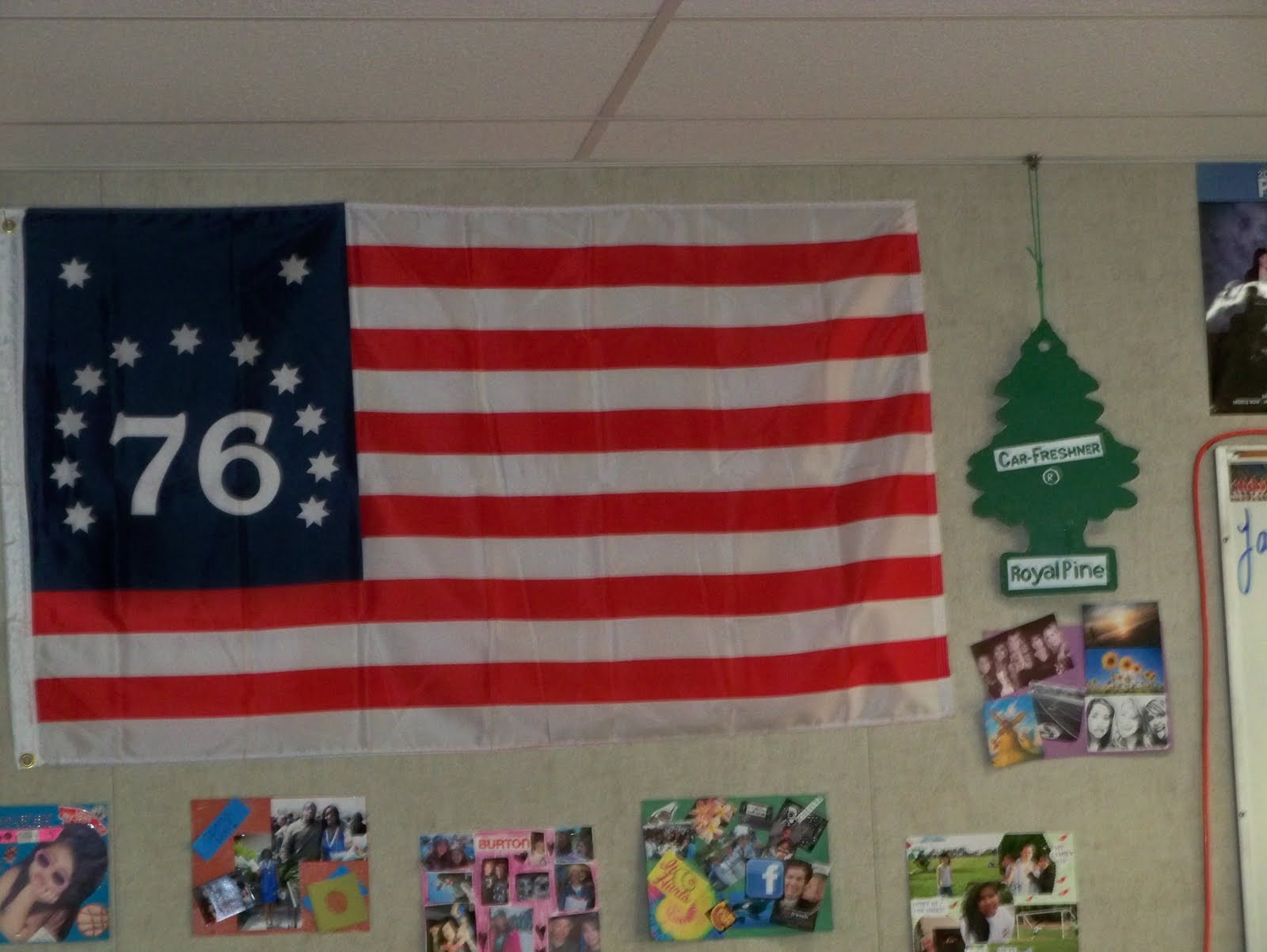
Giant air-freshener I received this year. What makes it great is that the student sprayed it with a pine scent to make it smell like a real car air-freshener. Plus side, my room smells better.Probably my two favorite projects. The one on the left was done 5 years ago. I can't remember what the scale factor is on it, but at the time it was the most detailed project I had ever received. The back is awesome. So fast forward to this year and I have her little brother in my class. I tell him it would be cool to have another Mike & Ike box the same size. So he does the tropical flavor. He used the exact same method his sister used, which involved getting the original box opened up and transferred to graphite paper. I always thought they used a transparency and overhead, but apparently not. So what makes this ever cooler? The bar code on the back actually scans. We used those bar code apps on smart phones and it found the product. Pretty cool.
 
By the way, on the edge of the original Mike & Ike is a big Hersey's chocolate bar. It is painted like the others and usually fools most people. They think it is a huge chocolate bar. And yes, that is Yoda in between. He is like a magic 8-ball, ask him a question, squeeze his hand and he gives you an answer.Last but not least is the one project that gets the most attention. I had a student rescale a pencil 10x's bigger. Everyone thinks I bought it. I keep it hanging above my desk now. There is writing on the other side that matches up with the original pencil as well. The metal tip for the eraser is an old can of soup. The eraser is starting to peel off now and I need to re-glue it. The tip was broke by the custodians one summer. I was moving rooms and left it in another teachers room. When we came back 3 weeks later it was moved into the corner from cleaning the carpets. The tip was broken. I glued it back on, but you can see the crack still. Pisses me off.I have a bunch more that I really like, a Cup of Noodles box, a Jello Box that was made from all construction paper...amazing job actually. I probably have kept 10-15 projects over 7 years. I keep more than that each year, but most rotate through from year to year. This year I had a student enlarge a Rubik's Cube that moves...in one direction. I am sure it is a matter of time before I get one that moves both ways. 
If you are wondering how I am able to keep them, I bargain with the students to "buy" them off of them for extra credit points. It gives them an opportunity to practice their bargaining skills. I like to watch them take pride in their work and give their reasons why their project is worth so many points. I have had some students say no thanks to the extra credit and they keep it because of all the hard work they put into it. And I respect those students for holding their ground no matter what I try to offer.
I will try to get some more pictures of my projects later.
And I have continued to do it like this every year still. The artistic students love it and some dread it. I wasn't sure if it would survive the transition to Common Core, but I think I am keeping it around.

Re-scale Rubric
Re-scale Questions

Thursday, April 9, 2015

How I use Chromebooks daily in my Geometry classes

So as I am gearing up for my Chromebook Challenge, I figured I would go ahead and share how I use Chromebooks daily in my Geometry classes. When I started I couldn't find any information how to use them daily, so maybe you will find it useful.  I have also included links to some tutorial videos I have put together.

So everyday I go ahead and type out some pre-notes (note template) for the days lesson. I leave spaces for the students to type in definitions or properties. I also try to find something on Geogebra that relates to the lesson. I upload to Google Classroom for the students to make a copy of. The benefit is that the students now have a permanent copy of the notes for the day. Here is a sample of notes that the students get. As you can see, they have space to type in their notes and there is a Geogebra activity for them to do. This particular activity had them investigating the relationship between arcs and angles. 

I also put all the sample problems for them as well. I leave plenty of space for them to work them out as well.  They can open the equation editor and work them out that way or use the picture to copy it down into their paper notes.

Students also have access to their textbooks online, so no more "I forgot my book." After the lesson is done, they open up their text book online and start their homework.

Every week we have a quiz on Socrative.com. They have the app on their Chromebooks, so they open and are ready to go in about a minute. If they forget their calculators, I have them use the Chromebook calculator and have them dock it on the screen. The Chromebook calculator was recently updated to include all the functions of a basic scientific calculator. Their quizzes and tests are returned within a day via Google Drive. Socrative creates individual PDF reports for each student. All I do is share them on Google Drive and they can see what they got right and wrong.

At the end of a chapter, we do some sort of extended response/performance task. We use Google Docs to have the students work in small groups to collaborate together on the assignment. When we first did this type of activity they were amazed to be working in the same document at the same time. Now it is second nature to them.

When I first started using Chromebooks I was afraid it would be difficult to use them on a regular basis.  After 8 months of using them I can't see teaching geometry without them. Having students able to access Geogebra or other interactive apps helps the students understand better. Some were hesitant at the beginning, but now everyone seems to have adapted to it. It is a routine for them to come in and grab their Chromebook.

Next year, I will probably take a day to show the students how to use Chromebooks, like key board shortcuts, docking apps, and using split screens.